Understand CrewCommerce
How CrewCommerce thinks about your customers
Four ideas explain almost everything CrewCommerce does: companies, roles, rules, and what happens when nobody's around to approve.
1. A company is a group of your customer's people
Every business account in CrewCommerce belongs to a company — a record that groups together everyone at that customer who's allowed to buy from your store on the company's behalf. A company can have as few as one person or as many as you allow.
A shopper who hasn't joined or created a company is just a normal WooCommerce customer. None of CrewCommerce's approval logic applies to them — it only switches on once someone belongs to a company.
2. Everyone in a company has a role
CrewCommerce has three roles inside a company:
| Role | Can do |
|---|---|
| Requester | Shop and submit orders. If the order needs approval, it waits for a Manager or Admin. |
| Manager | Everything a Requester can do, plus approve or reject the company's pending orders and manage team members. |
| Admin | Everything a Manager can do. Every company has exactly one Admin — the person who created it or was assigned to it. |
By default, only Requesters' orders are checked against your approval rules — Managers and Admins are exempt unless you turn that on in Settings (Admins always stay exempt), and nobody ever approves their own order. See Roles & Concepts for the full picture, including how this looks from each person's side.
3. Approval rules run in a fixed order
You control when an order needs approval from the CrewCommerce Settings page. CrewCommerce checks three things, in this order, and stops at the first match:
Restricted categories Pro
Does the cart contain a product from a category you've marked as always requiring approval? If so, it requires approval regardless of price.Order value threshold
Is the cart total at or above the threshold you've set? If so, it requires approval.Monthly spending limit Pro
If the order didn't already need approval, would it push this person over their personal monthly limit (if they have one)? If so, checkout is blocked outright — this one isn't an approval step, it's a hard cap.
If none of these match, the order goes through like any normal WooCommerce order.
4. What "requires approval" actually means at checkout
The Requester checks out as normal. The order is placed, but instead of going through to you it's held with a status of Pending Approval, and their approver — a Manager or the Admin — is emailed. The order confirmation page tells the Requester who it's waiting on:
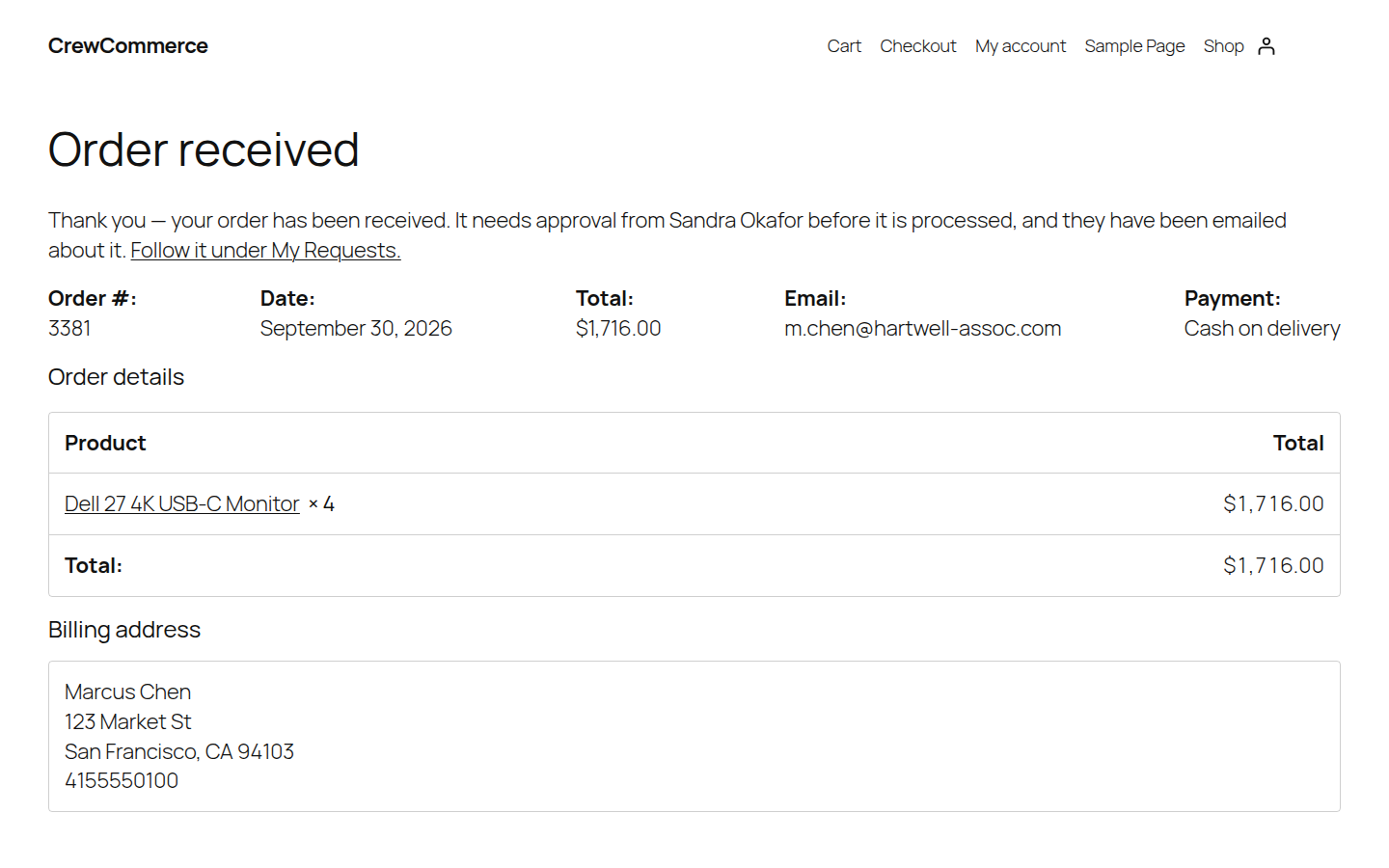
Nothing is charged while the order waits. Once it's approved, it carries on to you: straight to Processing for cash on delivery, or On hold awaiting payment for bank transfer and check. If the store takes payment online (a card gateway, for example), the Requester is emailed a link to pay and the order reaches you once it's paid. See Payment after approval.
If a company has nobody who could approve it — no Manager or Admin — the order is still placed and held, just with no one assigned, and you're emailed so you can claim it and decide it yourself.
This edge case matters enough that it gets its own section — see Real-World Scenarios and Troubleshooting.