Feature
Reporting & Activity Log Pro
Three places to see what's actually happening across every company on your store — or inside just one.
What it does
CrewCommerce keeps a record of team changes and approval decisions, and gives you three different views onto it depending on what you're trying to answer.
Activity Log — the audit trail
CrewCommerce > Activity Log in WP Admin is a browsable, filterable history of team and role changes across every company: who was added, who was promoted or demoted, and when.
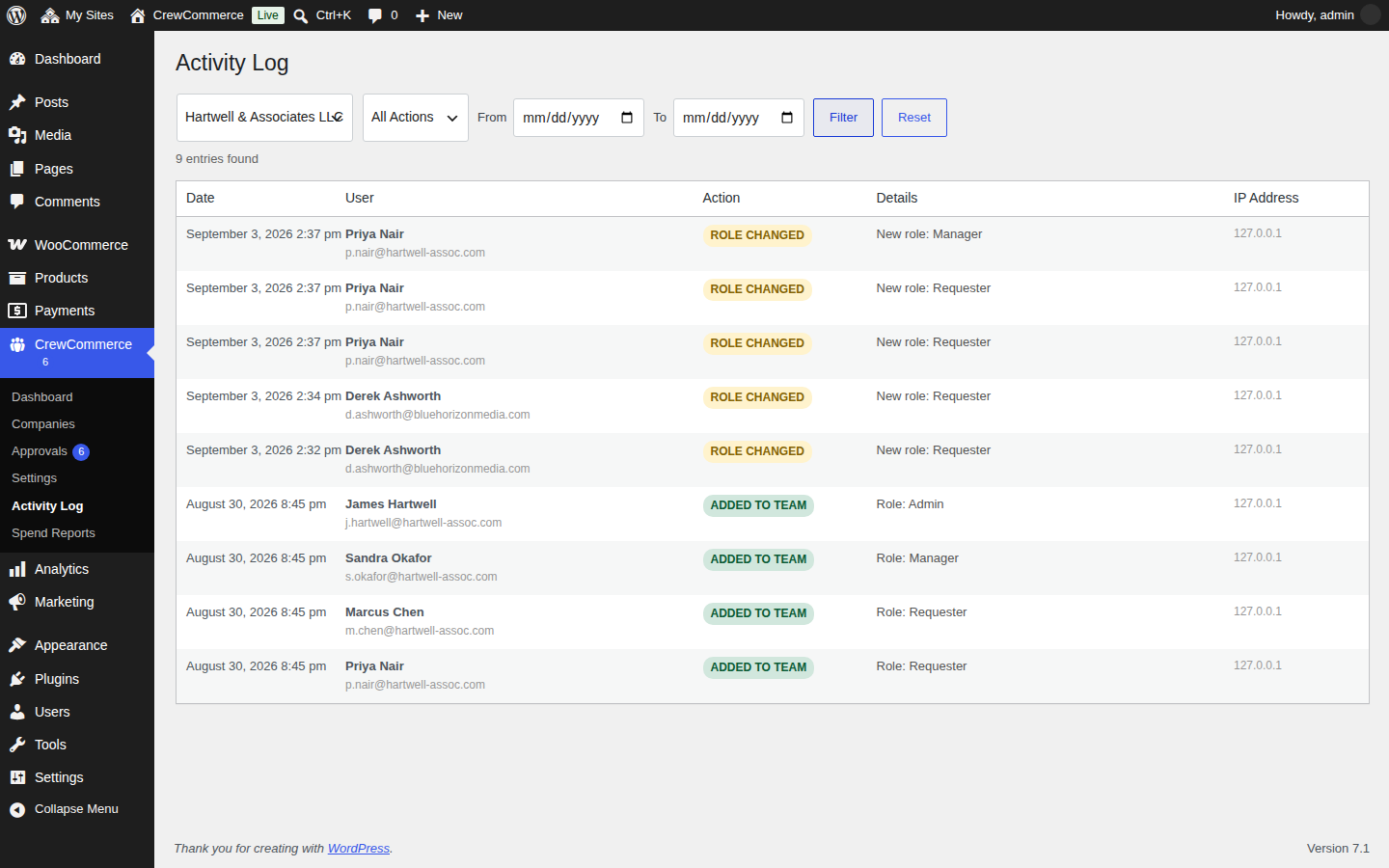
Use this when you need to answer "who changed this, and when" — a support question from a customer, or checking your own team changes.
Spend Reports — who's near their limit
CrewCommerce > Spend Reports lists every team member across every company who has either a monthly spending limit set or has spent something this month, ranked by how much of their limit they've used.
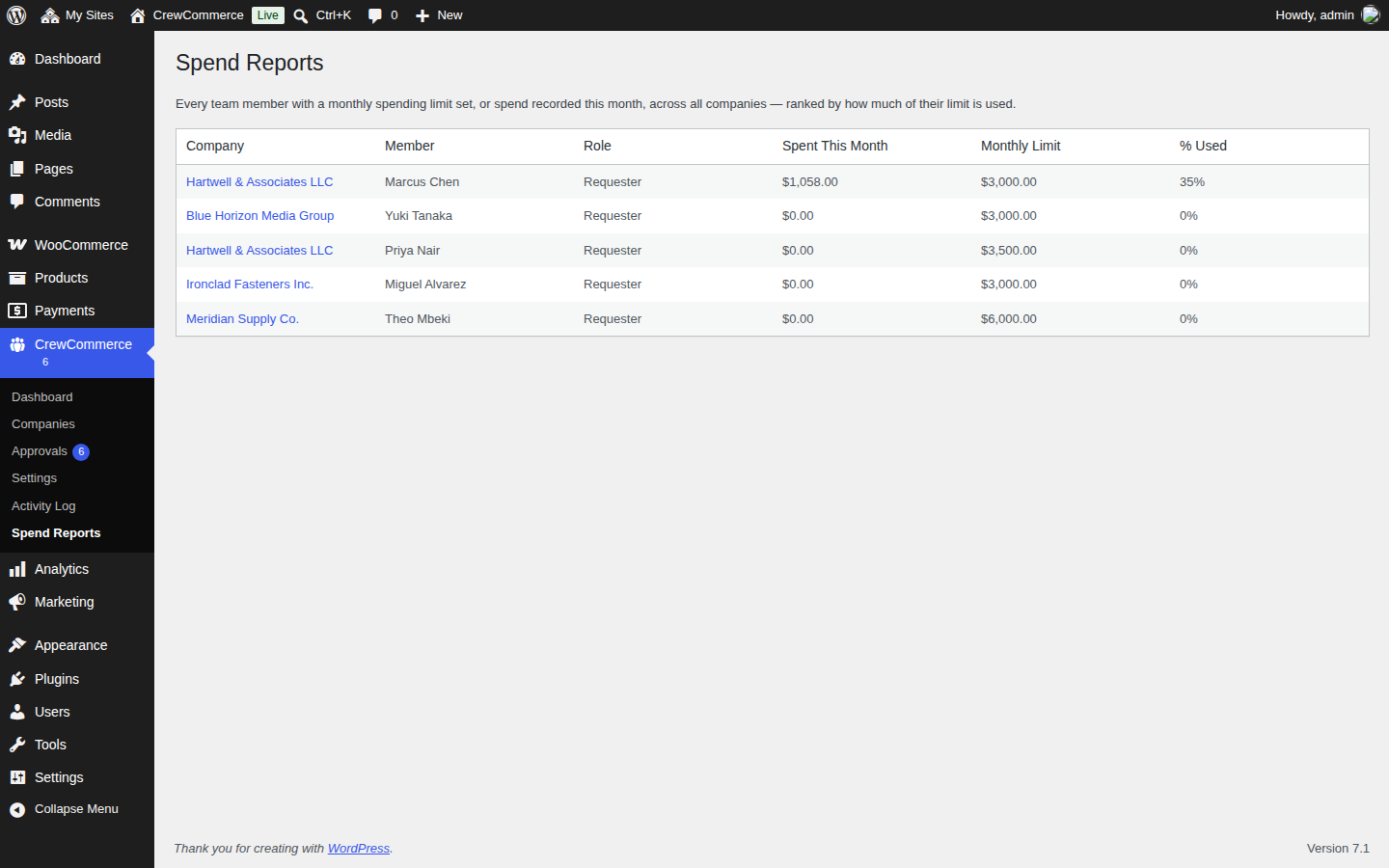
This is the one report that spans every company at once — useful for a quick "is anyone about to hit a wall" check without opening each company individually.
Company Order History — one company's orders
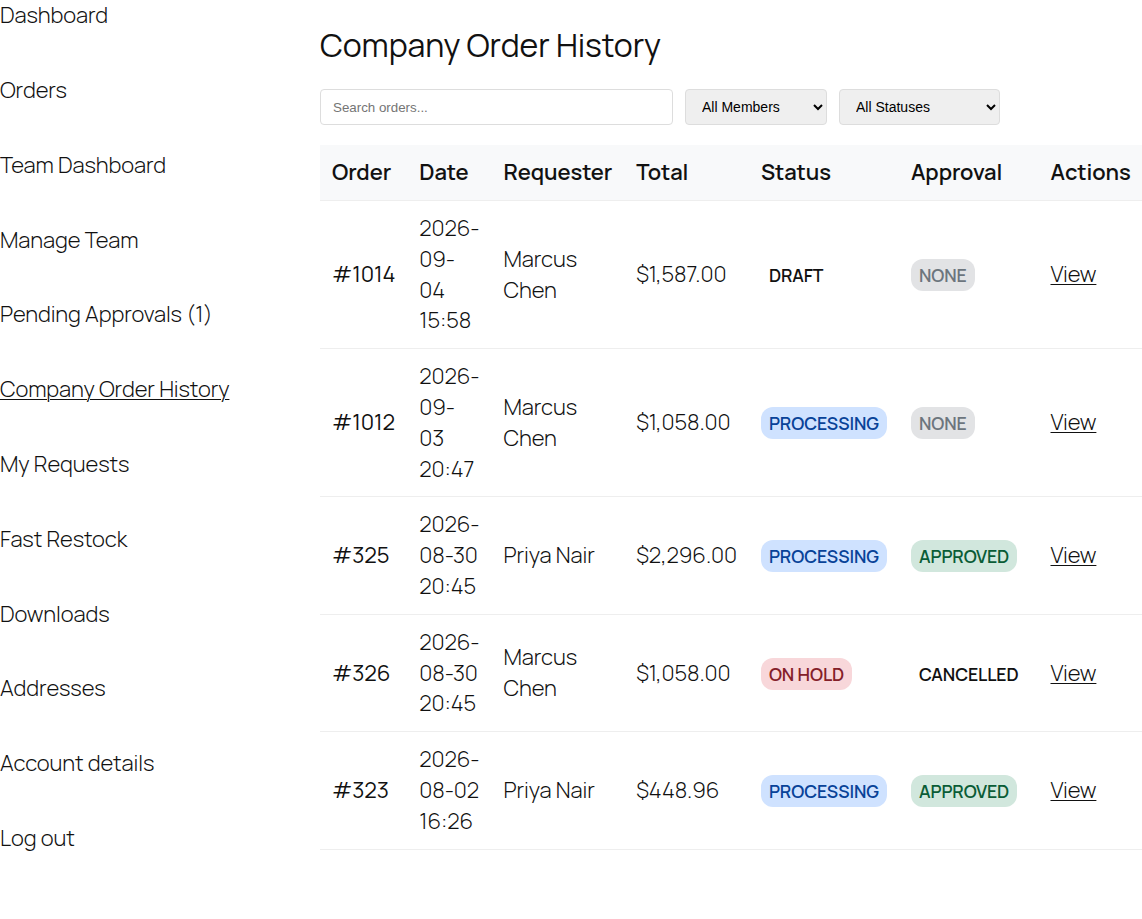
Managers and Admins get their own view, scoped to just their company, from My Account > Company Order History — searchable and filterable by team member and status, showing each order's approval outcome alongside its normal WooCommerce status. It lists the orders each person placed since joining the company; anything they bought before joining stays private.
What to expect
- Activity Log and Spend Reports are WP Admin only — a store owner's view across everyone.
- Company Order History is scoped per company and only visible to that company's Managers and Admins — one company can't see another's orders.
- Filtering the Activity Log by a company still shows its full history, even if every member who generated that history has since left the company.