Learn the basics
Real-World Scenarios
The same handful of situations come up in almost every store using CrewCommerce. Here's how each one actually plays out.
Scenario 1: A team member submits an order over budget
Marcus, a Requester at Hartwell & Associates, needs a new standing desk for a new hire. He adds it to his cart and goes to checkout. Hartwell's store has a $100 approval threshold, and Marcus's order comes to $799 — well over it.
He places the order as normal. It's placed, but held for approval — the confirmation page tells him who it's waiting on:
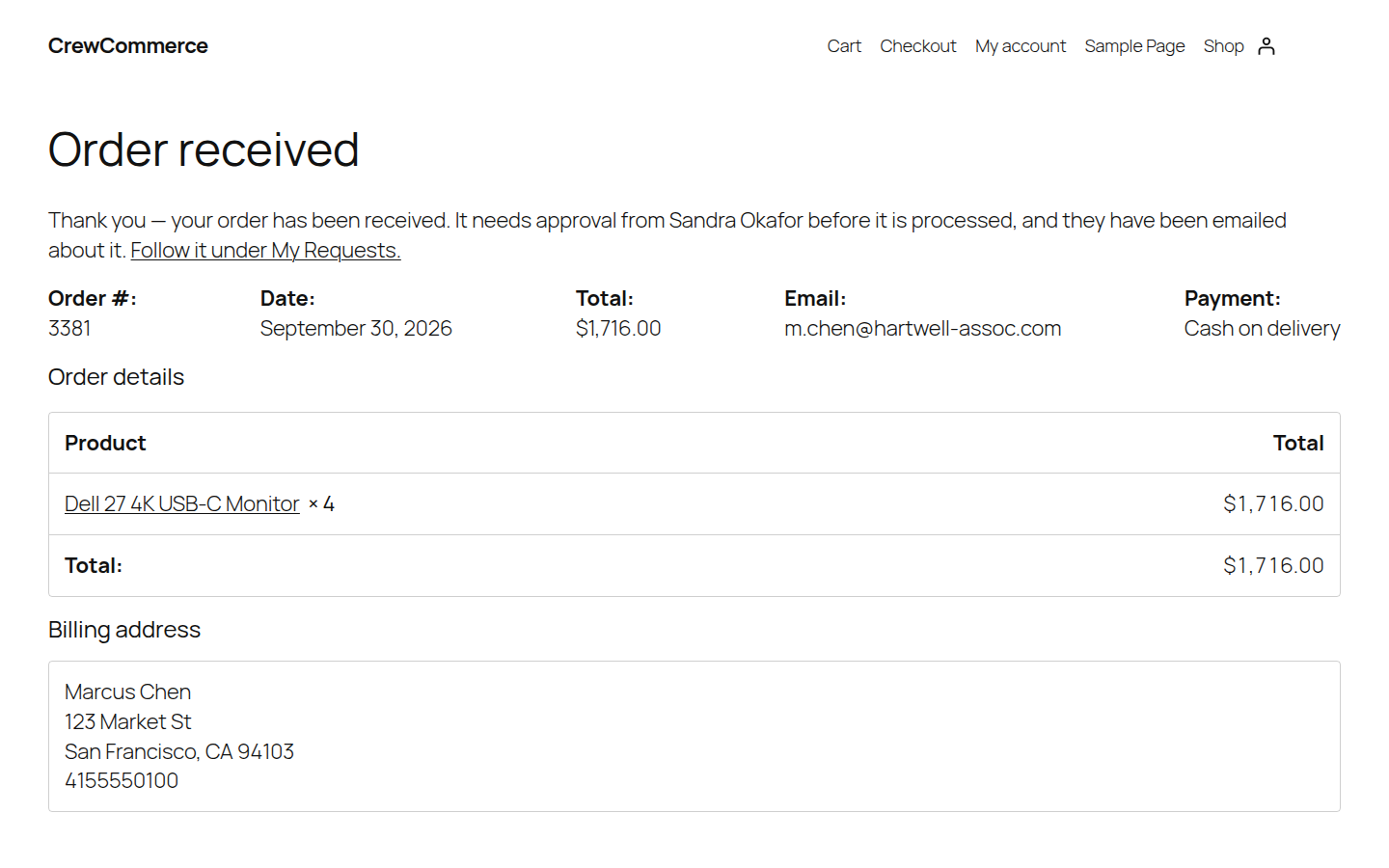
The order sits in Pending Approval, and his manager, Sandra, gets an email about it. Nothing reaches the store's order queue yet, and nothing has been charged.
Scenario 2: A manager reviews and approves a request
Sandra, Hartwell's Manager, opens My Account > Pending Approvals and sees Marcus's order waiting, with its full item list:
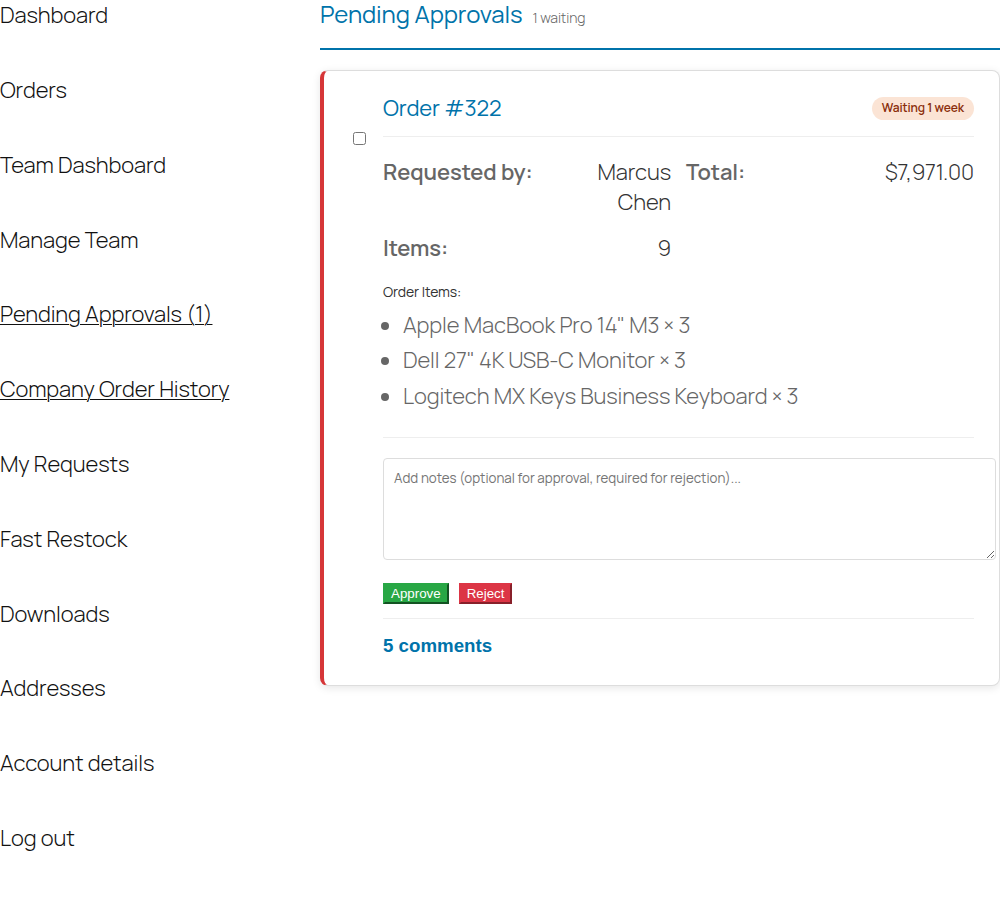
She reviews the items, optionally leaves a note, and clicks Approve. Marcus is emailed, and the order moves on to the store, which gets its usual new-order email. (If the store takes card payment, Marcus is sent a link to pay first — see Payment after approval.) If she had concerns instead, Reject requires a note explaining why, so Marcus knows what to fix next time.
Scenario 3: A company has nobody to approve orders
Ironclad Fasteners' office manager — who was also its only Admin — left the company last month and hasn't been replaced. Miguel, a Requester there, still needs supplies, so he checks out normally. His order is placed and held like any other, but with no Manager or Admin to name, the confirmation page just says it needs approval:
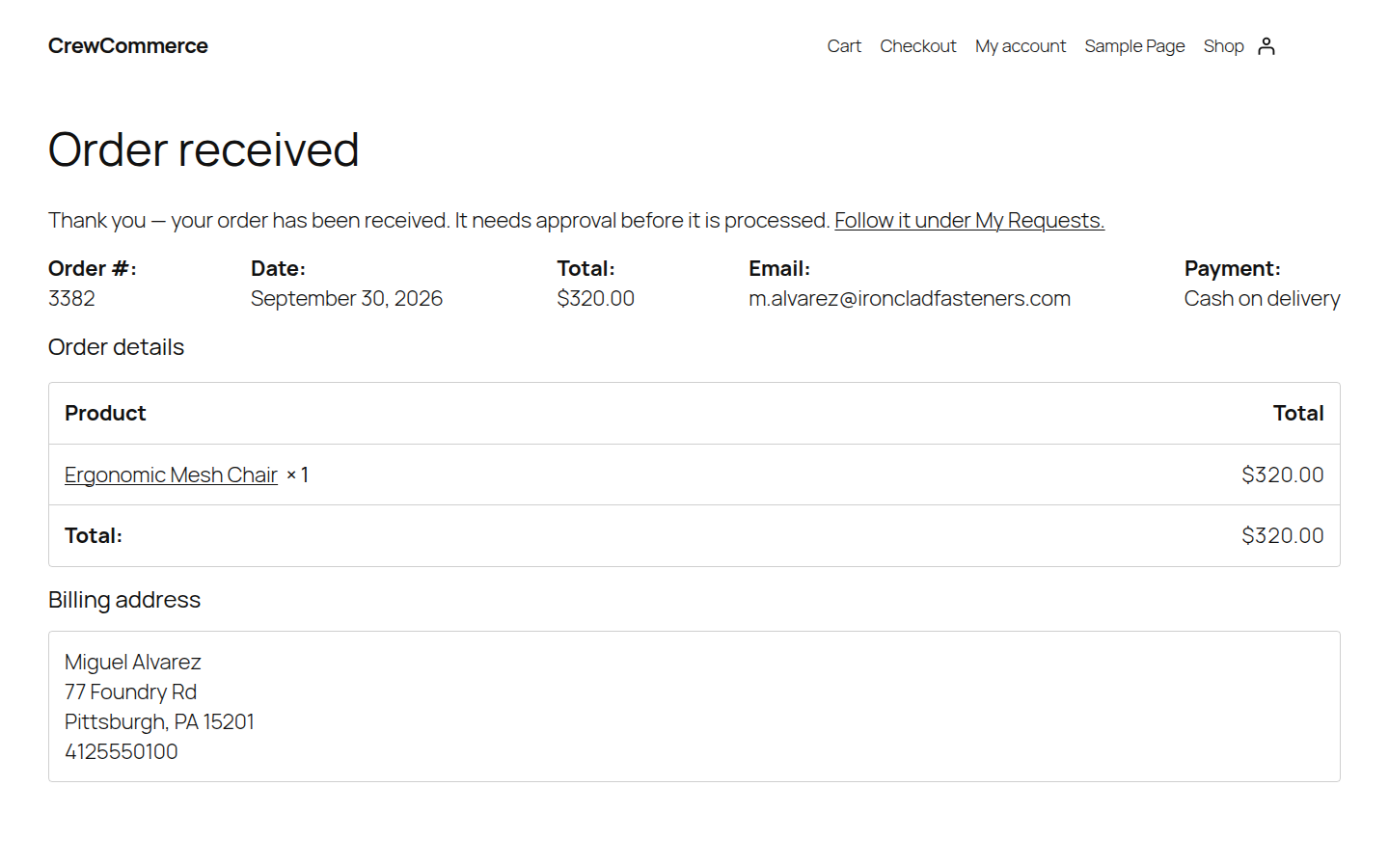
It lands in Pending Approval with no one assigned — visible from his own My Requests as "Unassigned," and flagged on the store owner's CrewCommerce Dashboard as a company needing attention:
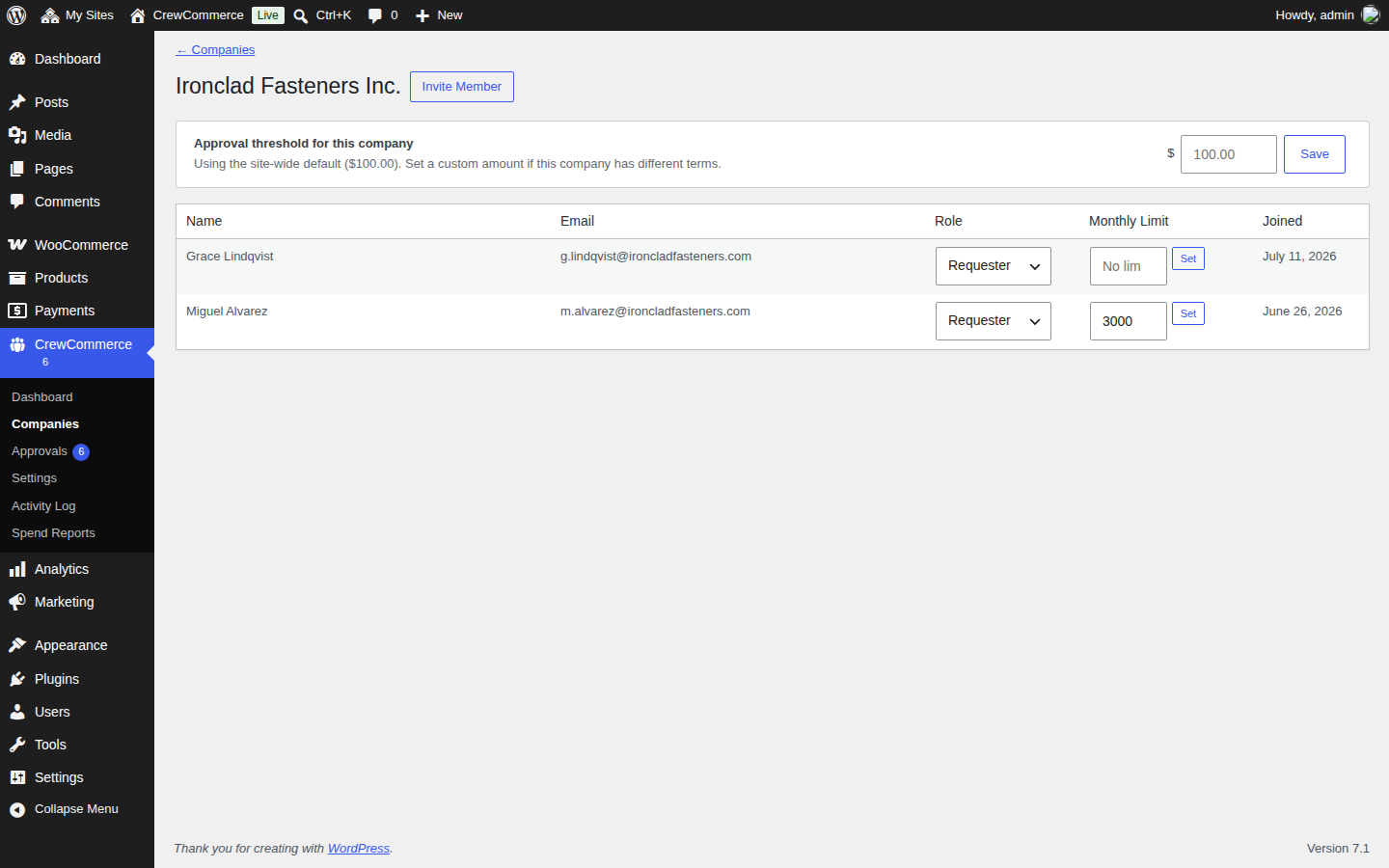
The store owner steps in from CrewCommerce > Approvals, claims the order, and either approves it or assigns a new Manager to Ironclad so this stops happening.
Scenario 4: A new business customer signs up on their own
A prospective wholesale buyer finds your store and registers an account. They check "This is a business account," name their company, and submit — they're now that company's Admin, with nothing further for you to set up:
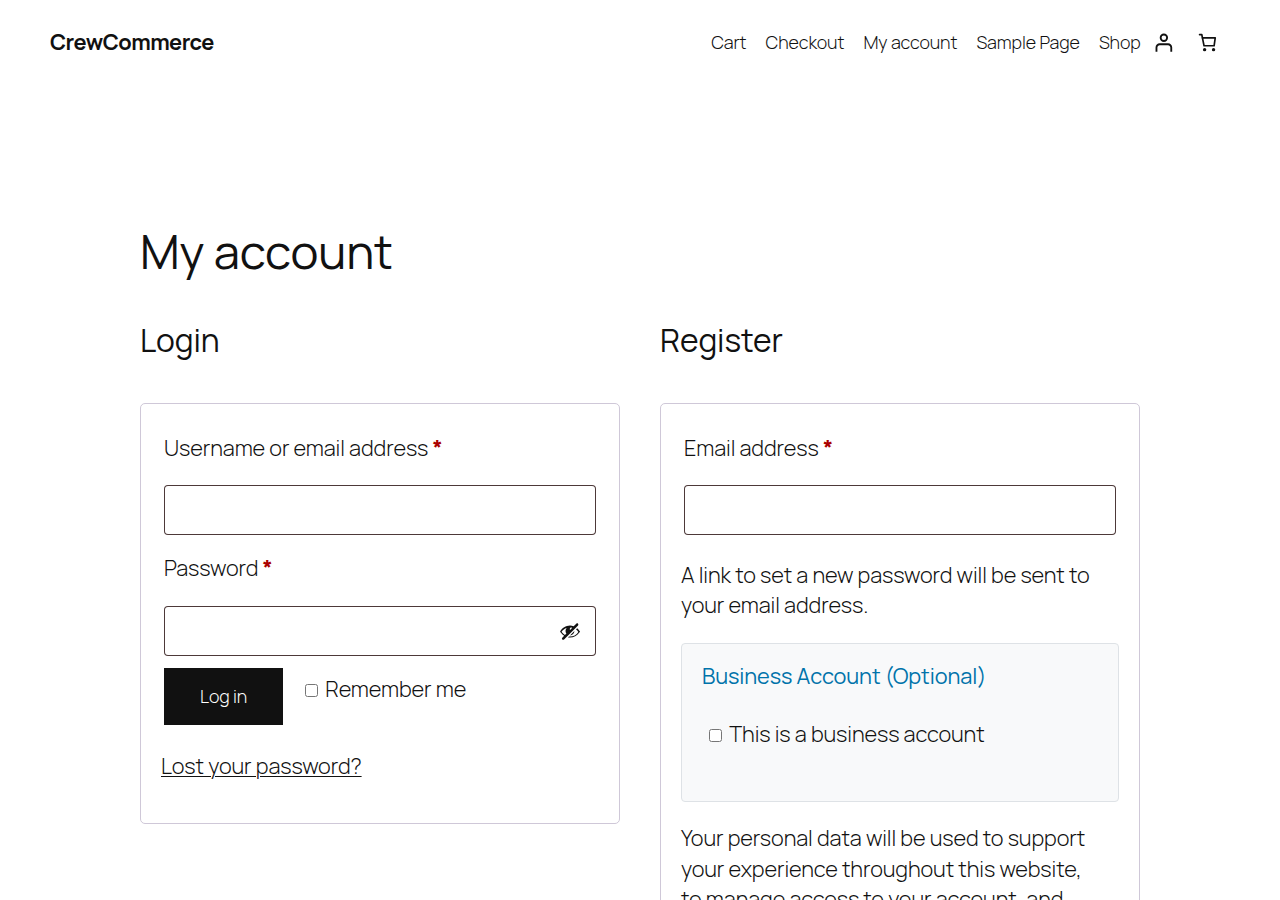
Their first team invite brings a colleague on board as a Requester, and from there the company runs itself day to day.
Scenario 5: Restocking routine supplies
Priya orders the same office supplies every month for Hartwell. Instead of searching the shop again, she opens Fast Restock, where her most-ordered items are already listed:
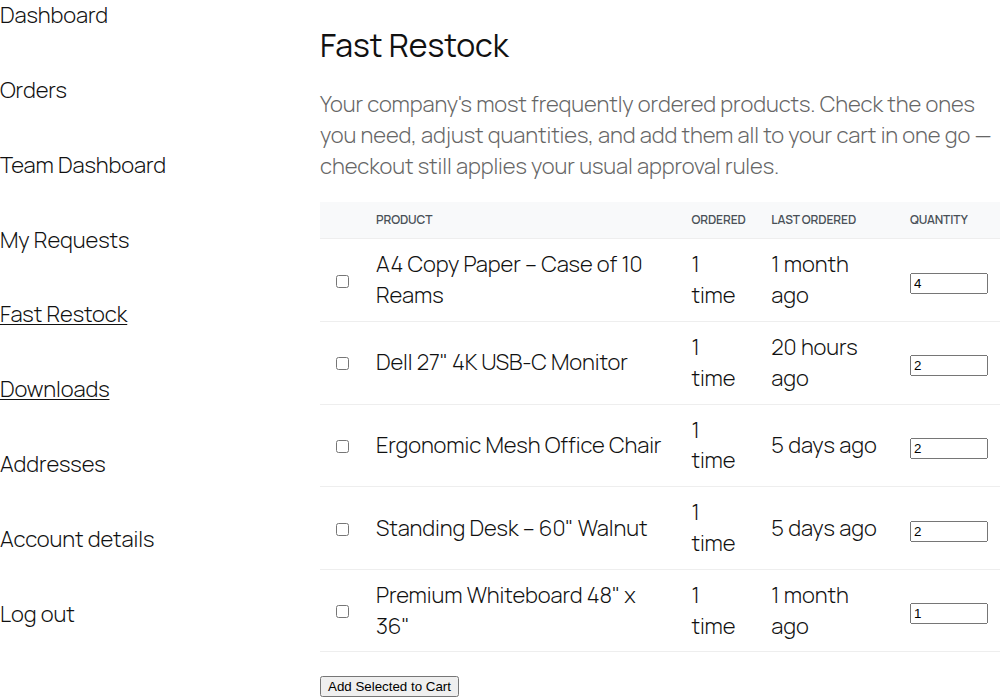
She ticks what she needs, adjusts the paper case to a larger quantity, and adds them all to her cart in one click — then checks out as usual, still subject to Hartwell's approval rules if the total is high enough.