Feature
Spend Limits Pro
Give a team member a monthly budget that checkout enforces on its own, no approval step needed.
What it does
A spending limit is a monthly dollar cap on one person's purchases from your store. Unlike approval rules, there's no one to ask — once someone would go over their limit, checkout simply won't let the order through.
Why you'd use it
Approval rules are for orders that need a second opinion. Spend limits are for orders that shouldn't happen at all past a certain point — useful for junior staff, seasonal buyers, or anyone a company wants to cap without a manager having to review every single order.
How to set it
From a company's team list — either in WP Admin under CrewCommerce > Companies, or from Manage Team in the storefront — enter an amount in the Monthly Limit column and click Set.
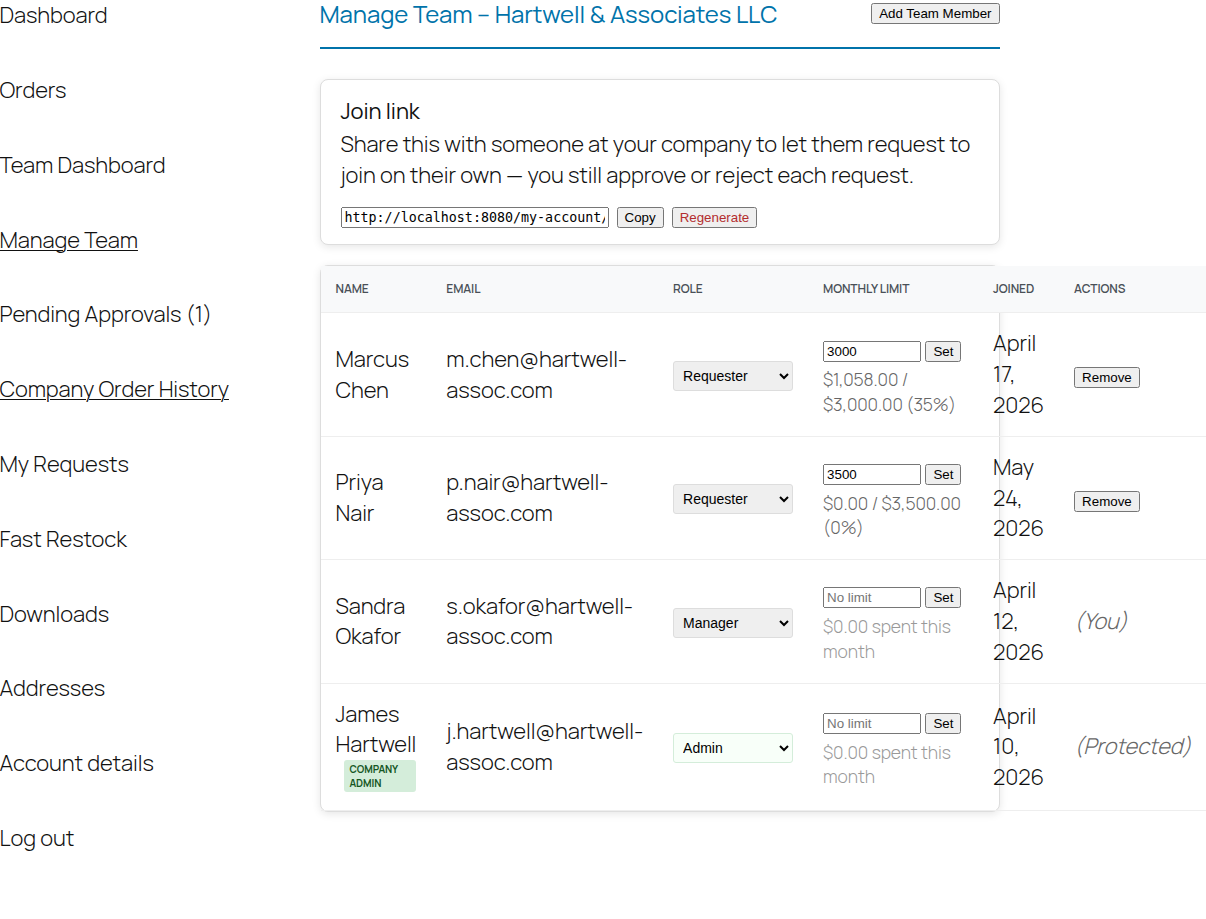
Leave the field blank (or set it to 0) for no limit — that person can spend as much as your approval rules allow.
How it's calculated
CrewCommerce adds up a person's orders from the 1st of the current calendar month that are Processing, Completed, or On Hold — in other words, orders that were actually approved and are moving forward. Orders still waiting on approval aren't counted yet, so they can't push someone over their limit before a decision is even made.
What a team member sees
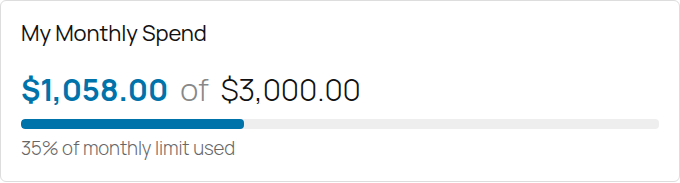
Anyone with a limit sees their own progress toward it right on their My Account dashboard:
What happens at checkout
If an order would push the current month's total over the limit, checkout stops with a message telling them how much they have left and to contact their manager — the order isn't placed. This only applies to orders that would otherwise go straight through: an order that already needs approval (over your threshold, or in a restricted category) is placed and held for the approver instead, who can see its total before deciding.