Feature
Self-Onboarding & Join Requests Pro
Let customers create their own company, or join one that already exists — without you setting anything up by hand.
What it does
Instead of you creating every company and inviting every member from WP Admin, CrewCommerce can let customers do it themselves in two ways: creating a brand-new company at registration, or joining an existing one via a private link that company shares with them.
Why you'd use it
If you have (or expect) more business customers than you want to set up by hand, self-onboarding means a new company can get going the moment someone signs up — you just approve join requests as they come in, rather than doing all the setup yourself.
Creating a company at registration
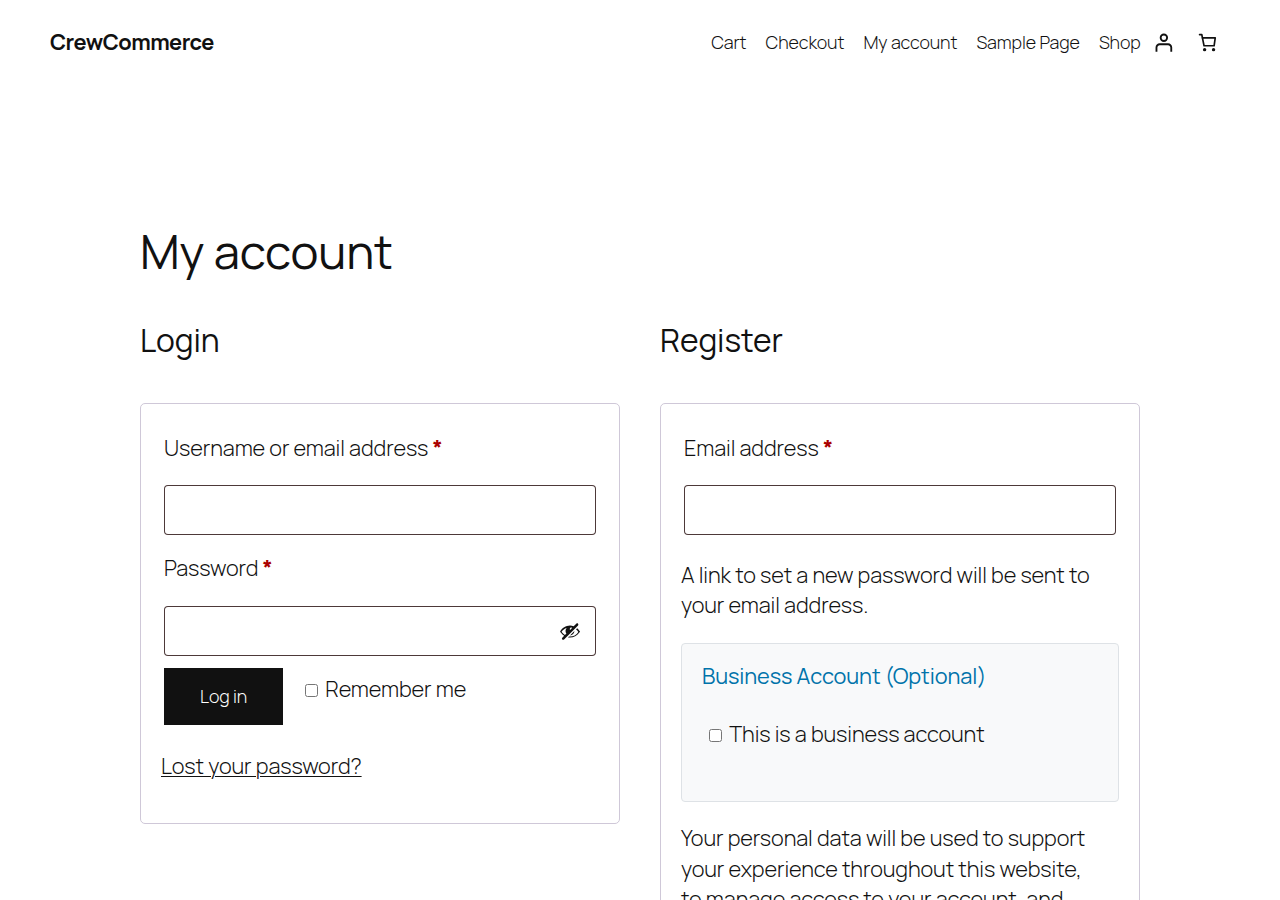
If your store allows customer registration, the registration form gets an extra, optional section:
Joining an existing company via a private link
Each company gets its own private join link, which a Manager or Admin shares directly with the person they want to add:

Following the link while logged in shows the company's name and a Send request button; the request is sent when they click it, so nobody can be signed up for a company by a link hidden on another site. Following it while logged out sends the person to log in or register first, and the link keeps working through either form.
The account page also explains this, for anyone who lands there without a link:
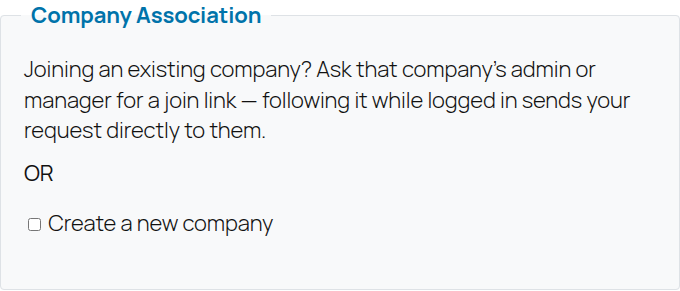
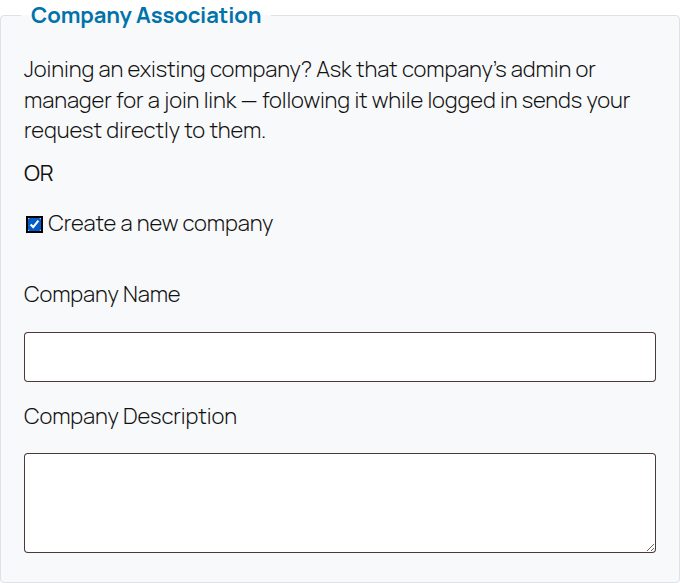
Checking "Create a new company" here works the same as at registration — it reveals Company Name and Description fields and makes that person the new company's Admin immediately, no approval needed, since they're creating it, not joining one:
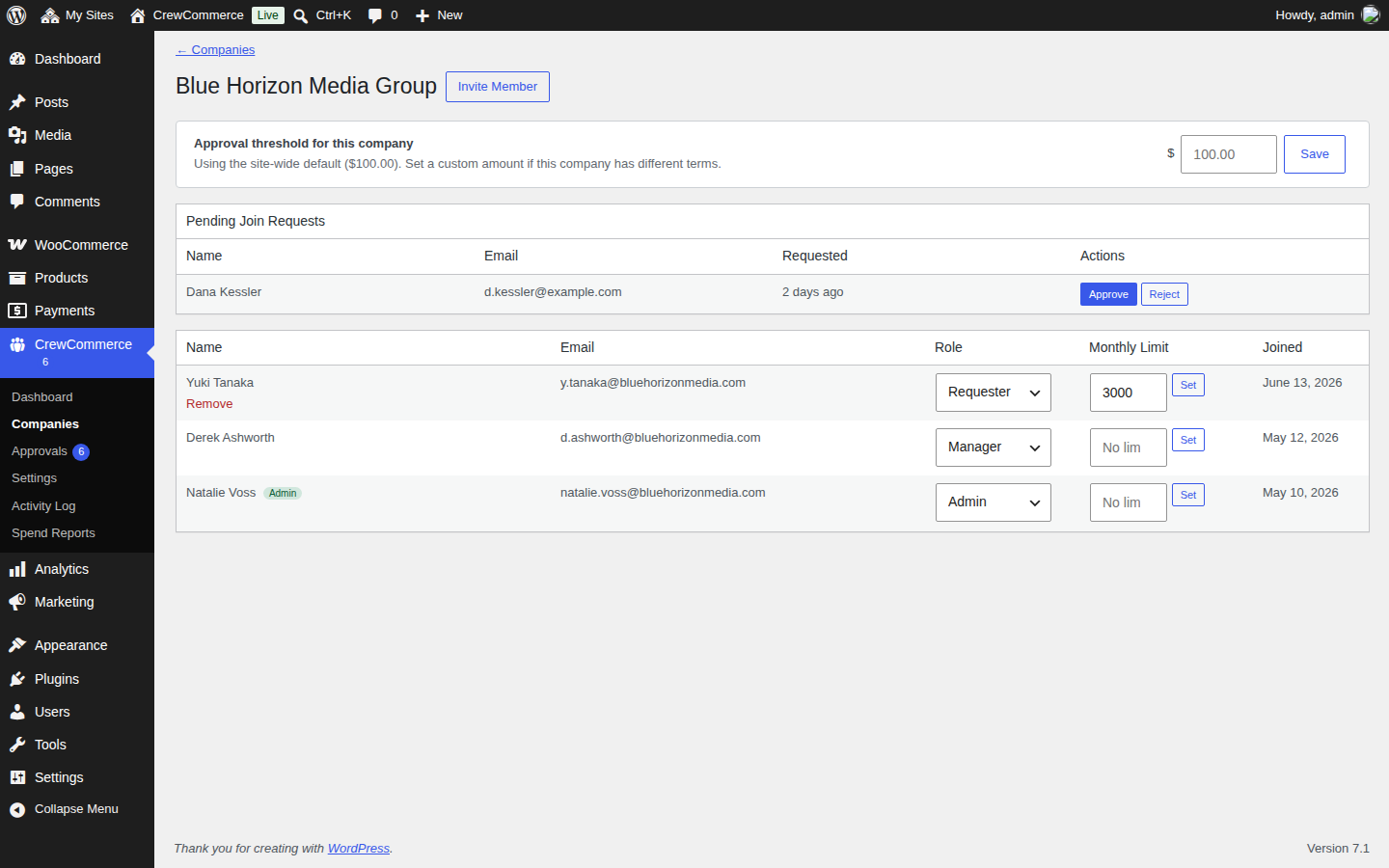
Either way — join link or registration checkbox — a join request doesn't add anyone immediately. It goes to that company's Admin to approve or reject from the company's detail page in WP Admin (or from Manage Team on the storefront):
Inviting someone directly
The other direction — a Manager or Admin already knows who they want and invites them by email — works the same as it always has; see Team Accounts. Use whichever fits: invite when you know exactly who's joining, share the join link when you'd rather let a few people self-serve without typing each of their emails in one at a time.
What to expect
- A join request doesn't grant any access until it's approved — the requester stays a normal customer in the meantime.
- Approving a join request adds them as a Requester by default; change their role afterward from the team list if needed.
- Company names must be unique — registering with a name that already exists is rejected at signup, to stop a second, duplicate company being created by mistake.
- Regenerating a join link immediately invalidates the old one — anyone who still has it can no longer use it to request access.